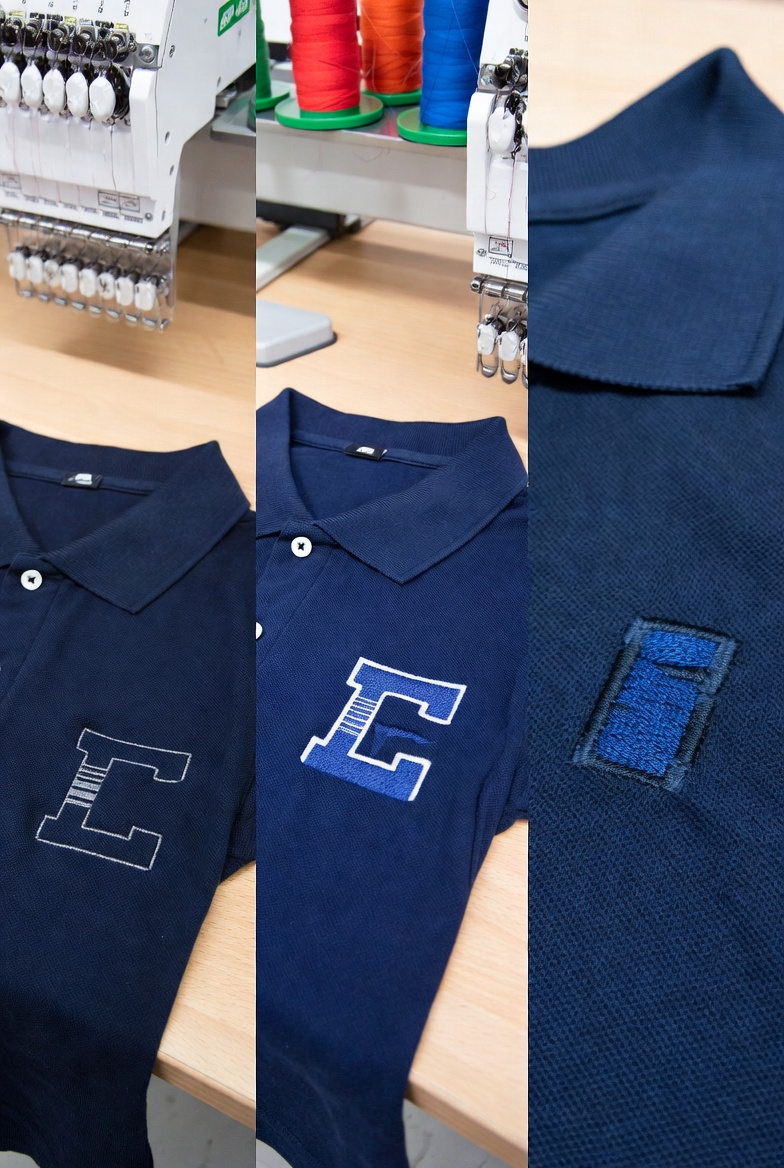
If you have ever wondered why some embroidered logos look sharp, clean, and professional while others look thin, puckered, and amateurish — even when produced on the same machine, with the same thread, on the same fabric — the answer lies inside the stitch file. Three technical parameters control the vast majority of stitch quality: pull compensation, underlay, and density. Understanding these parameters will transform your ability to evaluate stitch file quality, troubleshoot production problems, and appreciate why investing in good digitizing (whether human or AI) pays for itself many times over.
Pull Compensation: Fighting the Fabric
Every embroidery stitch applies tension to the fabric. When the needle penetrates the fabric and the thread is pulled tight, the surrounding fabric deforms slightly — pulling inward toward the stitch line. This effect is individually tiny (fractions of a millimetre per stitch) but cumulative across thousands of stitches in a fill area. The result is that a fill region that should measure 50mm wide might measure only 47-48mm after stitching, because the cumulative tension has pulled the fabric edges inward.
Pull compensation is the digitizer's countermeasure. By deliberately making the fill area 2-3mm wider than the intended finished size, the digitizer ensures that after the fabric pulls inward, the resulting embroidery matches the design dimensions. The amount of compensation required depends on several factors: stitch density (higher density creates more tension), fabric type (stretchy fabrics need more compensation than stable wovens), stabiliser type (heavier stabiliser resists pull more effectively), and design geometry (long narrow fills experience more pull than short wide fills).
Getting pull compensation right requires experience or algorithms — it is not something that can be eyeballed or guessed. Too little compensation produces the thin, compressed look that characterises cheap digitizing. Too much compensation produces a bloated, oversized design that extends beyond its intended boundaries. The sweet spot varies with every design and every fabric, and finding it consistently is one of the marks of quality digitizing.
StitchFast calculates pull compensation automatically based on the design's characteristics. The AI analyses each fill region independently — considering the region's size, aspect ratio, stitch density, and relationship to surrounding elements — and applies appropriate compensation values. The result is consistent dimensional accuracy across designs of all types, without requiring the user to understand or specify compensation parameters.
Underlay: The Hidden Architecture
Underlay stitching is the structural foundation of embroidery — stitched beneath the visible design, invisible in the finished product, but essential to its quality and longevity. If pull compensation is about fighting the fabric's horizontal movement, underlay is about controlling its vertical behaviour — preventing the fabric from shifting up and down under the needle bar, flattening surface textures that would interfere with the top stitching, and creating a slightly raised platform that helps the visible stitches sit evenly.
There are several types of underlay, each suited to different situations. Centre walk underlay is a single line of running stitches along the centre of a satin stitch column. It stabilises the fabric directly beneath the satin stitching and prevents the individual satin stitches from sinking into the fabric. Edge walk underlay follows the edges of a fill area, creating a perimeter fence that prevents the fill stitches from pulling the fabric edges inward (complementing pull compensation). Zigzag underlay covers a fill area with an open zigzag pattern, flattening the fabric nap and providing a raised base. Full-coverage underlay provides dense stitching across the entire design area, used primarily for high-pile fabrics like fleece or terry cloth where the surface nap must be fully compressed before the visible design is applied.
The choice of underlay type and density depends on the fabric, the design, and the stitch type being used for the visible layer. Good digitizing selects appropriate underlay for each region of the design; cheap digitizing uses minimal or no underlay to reduce stitch count and production time. The difference is invisible on the production screen but immediately visible in the finished embroidery — properly underlaid designs sit flat, look crisp, and maintain their appearance through washing. Under-underlaid designs pucker, ripple, and degrade quickly.
StitchFast generates appropriate underlay for every design element based on the element type and estimated fabric characteristics. Fill areas receive edge walk and zigzag underlay. Satin columns receive centre walk underlay. Small detail elements receive proportionally lighter underlay to avoid excessive density. The AI's underlay decisions are consistent and appropriate — factory quality managers who have evaluated StitchFast files consistently report that underlay quality is comparable to experienced human digitizers.
Density: The Balance Point
Stitch density — the closeness of individual stitch lines within a fill or satin area — is the most visually impactful parameter in a stitch file. Higher density produces heavier, more opaque embroidery with complete fabric coverage. Lower density produces lighter embroidery where the fabric is partially visible between stitch lines. Neither extreme is inherently correct — the right density depends on the design, the fabric, and the intended visual effect.
For most commercial embroidery on standard fabrics (polyester polo shirts, cotton tees, polycotton sweatshirts), the optimal fill stitch density is approximately 0.4-0.5mm between rows. This produces complete coverage with a smooth, even surface and reasonable production time. Higher density (0.3mm or less) produces a heavier, more sculptural effect suitable for patches and badges where full coverage is mandatory, but increases production time, thread consumption, and the risk of fabric distortion on lightweight materials. Lower density (0.6mm or more) is appropriate for lightweight fabrics where heavy stitching would cause puckering, and for large fill areas where production time must be managed.
Satin stitch density is measured differently — by the width of the satin column and the spacing of individual stitches within it. Standard satin density places stitches approximately 0.4mm apart, producing a smooth, continuous surface. Higher density (0.3mm or less) produces a thicker, more raised satin surface suitable for bold lettering and prominent outlines. Lower density produces a lighter satin that may show individual stitch separation at close inspection.
The interaction between density and pull compensation is critical. Higher density creates more pull, requiring more compensation. Lower density creates less pull, requiring less compensation. These parameters must be calibrated together — adjusting density without adjusting compensation produces designs that are dimensionally inaccurate, and adjusting compensation without adjusting density produces designs that are the right size but the wrong weight. This interplay is one of the reasons why good digitizing (whether human or AI) requires sophisticated understanding of the relationships between parameters.
How StitchFast Handles the Technical Details
StitchFast's AI applies all three parameters — pull compensation, underlay, and density — automatically based on its analysis of the uploaded design. The user does not need to specify compensation values, underlay types, or density settings. The AI makes these decisions based on the design's visual characteristics: the size and shape of fill areas, the width of satin elements, the overall design density, and the relationship between adjacent design elements.
For the majority of users — from hobbyists producing personalised gifts to commercial operators running multi-head machines — the AI's automatic parameter selection produces excellent results without any manual intervention. The files stitch cleanly, maintain dimensional accuracy, and produce the visual quality that customers expect. The technical complexity of pull compensation, underlay, and density is handled entirely by the AI, allowing the user to focus on the creative and production aspects of their work rather than the technical details of file parameterisation.
For advanced users who want to fine-tune specific parameters — adjusting density for an unusual fabric, modifying compensation for a specific garment type, or changing underlay for a challenging substrate — the generated files can be opened in any embroidery editing software and modified manually. StitchFast's output provides an excellent starting point that can be refined for edge cases, combining the speed and consistency of AI generation with the precision of human expertise when needed.
Why This Knowledge Matters
Understanding pull compensation, underlay, and density is not just academic — it directly affects your ability to produce high-quality embroidery, diagnose production problems, and evaluate the quality of stitch files from any source. When a design puckers, you know to check underlay. When a design comes out too narrow, you know the compensation is insufficient. When a design looks sparse or heavy, you know the density needs adjustment. This diagnostic capability saves time, reduces waste, and produces better results regardless of whether your stitch files come from an AI platform, a human digitizer, or your own editing software.
The good news is that modern AI digitizing handles these parameters correctly the vast majority of the time, meaning you can benefit from proper compensation, underlay, and density without needing to calculate them yourself. The technical knowledge becomes most valuable when troubleshooting the occasional edge case — an unusual fabric, an unconventional design, or a specific visual effect that requires parameter adjustment beyond the AI's default selections. In those moments, understanding the underlying principles transforms you from someone who can only describe a problem ("it looks wrong") into someone who can diagnose and solve it ("the compensation needs to increase by 0.3mm on the left column"). That capability is what separates a proficient embroiderer from a truly skilled one.
Stitch Quality FAQs
What is pull compensation in embroidery?
Pull compensation is extra width added to a stitch design to counteract the fabric pulling inward as it is stitched. Without it, a shape that should measure 50mm might finish at 47–48mm. Proper compensation keeps the finished dimensions accurate.
What does underlay do in a stitch file?
Underlay is a hidden layer of stitches placed before the top stitches. It stabilises the fabric, anchors it to the backing and gives the top stitches a foundation, which prevents puckering and helps the design sit cleanly on the surface.
What is stitch density and why does it matter?
Density is how closely the stitches are packed together. Too sparse and the fabric shows through and the design looks thin; too dense and the design becomes stiff, strains the machine and can damage the fabric. The right density is a balance point for each design and material.
Why does my embroidery pucker or look thin?
Puckering usually points to insufficient or inappropriate underlay, while a design that finishes too narrow indicates not enough pull compensation. A design that looks sparse or heavy is a density problem. Knowing these three parameters lets you diagnose each symptom.
Does AI digitizing handle pull compensation, underlay and density automatically?
Yes, most of the time. Tools like StitchFast apply appropriate compensation, underlay and density automatically, so you benefit from them without calculating them yourself. The technical knowledge is most useful for troubleshooting unusual fabrics or designs at the edges.