A PE-Design alternative for any machine, not just Brother
Brother PE-Design is built around Brother machines and PES files. StitchFast gives you the same instant PES output plus DST, JEF and more — from any device, for any brand of machine.
StitchFast is a PE-Design alternative that isn't locked to Brother machines. It exports PES for Brother and Babylock plus DST, JEF and more, online in seconds, from £3.50 per design — ideal if you run mixed machine brands or want to skip the Windows install.
- PES output for Brother, plus every other common format
- Works with any machine brand, not just Brother
- No Windows software to buy or upgrade over time
What is Brother PE-Design?
Brother PE-Design is Brother's own embroidery design and digitizing software, currently in version 11. It is a capable Windows desktop suite aimed at everyone from hobbyists to home-based businesses, combining auto-digitizing wizards (Auto Punch, PhotoStitch and Cross Stitch) with full manual digitizing, a large built-in font and design library, monogramming, and the ability to create your own fonts and stitches. It is sold as a one-off licence — typically several hundred dollars for the full version, with a cheaper Lite edition — and it is tuned around Brother and Babylock machines and the PES format, including wireless transfer to certain Brother models such as the Luminaire. Its greatest strength, deep Brother integration, is also its limit if you work across other machine brands or want to avoid a Windows install.
The honest view
Brother PE-Design: pros and cons
A fair look at what Brother PE-Design does well and where it falls short — so you can judge whether an alternative is worth it.
What Brother PE-Design gets right
- One-off licence with no recurring fees and lifetime activation
- Deep Brother and Babylock integration, including wireless transfer to some models
- Full manual digitizing plus auto wizards (Auto Punch, PhotoStitch, Cross Stitch)
- Large built-in font, monogram and design library
- Create your own fonts, decorative stitches and appliqué patterns
Where it frustrates people
- Windows-only — no Mac, browser or tablet access
- Best value only if you own Brother or Babylock machines
- Full version costs several hundred dollars up front
- Major new capabilities arrive as paid version upgrades
- Aimed at advanced users — a real learning curve for clean results
Why people switch
Why embroiderers look for a Brother PE-Design alternative
PE-Design is well-tuned for Brother. Here is why people reach for something broader.
Built around Brother machines
PE-Design is happiest inside the Brother and Babylock world. If your shop runs mixed machines, you want a tool that treats every format as first-class.
Another local install
It is a desktop program tied to a Windows PC — no browser access, nothing you can run on a Mac or pick up on a tablet.
Pay again for the next release
Major new capabilities often arrive as a new paid version, so staying current means repeat purchases over time.
Before & After
From image to stitch file
Drag the slider — your image goes in, a production-ready embroidery file comes out in under 60 seconds.

Real StitchFast output — the same engine behind every file, whatever design you upload.
Head to head
StitchFast vs Brother PE-Design
If you want PES output without the Brother lock-in, compare the two.
| Feature | StitchFast | Brother PE-Design |
|---|---|---|
| PES output | Yes | Yes |
| Works with any machine brand | Yes | Brother-optimised |
| Other formats (DST, JEF, EXP, VP3) | Yes | PES-focused |
| Runs in a browser | Yes | No |
| Mac support | Native | No (Windows only) |
| Install required | None | Windows install |
| Price model | Pay per design | One-off licence (hundreds) |
| Version upgrades | Always current | Paid new versions |
| Time to first file | Under 60 seconds | Minutes to hours |
| Manual editing & font library | AI, no manual editor | Extensive |
StitchFast vs Brother PE-Design, feature by feature
Machine brand and file format
PE-Design centres on Brother and Babylock and the PES format, with wireless transfer to certain Brother machines. StitchFast is machine-agnostic: it exports PES plus DST, JEF, EXP, VP3 and HUS equally, so a mixed or non-Brother workshop is never second-class.
Platform and access
PE-Design is a Windows desktop install, tied to your PC and requiring admin rights to set up; some older versions aren't even Windows 11 compatible. StitchFast runs in any browser on Mac, Windows, Chromebook or iPad, with nothing to install or keep updated.
Pricing and upgrades
PE-Design is a one-off licence — several hundred dollars for the full version, less for Lite — but major new features arrive as paid version upgrades over the years. StitchFast is pay-as-you-go from £3.50 per design, or £29.99 a month unlimited, and you are always on the current version.
Features and manual control
PE-Design is the more full-featured tool: manual digitizing, a large font and monogram library, PhotoStitch photo embroidery and appliqué wizards. StitchFast trades that depth for speed — upload, AI-digitize, download — and does not offer manual stitch-by-stitch editing.
Who each one suits
PE-Design rewards Brother owners who want deep control and don't mind learning the software. StitchFast suits anyone who wants a finished PES or other file fast, from any device, without buying and mastering a desktop suite.
Buyer's guide
What to look for in a Brother PE-Design alternative
Not every tool that calls itself a Brother PE-Design alternative actually improves on it. These are the things that matter.
Machine-brand independence
If you run anything other than Brother or Babylock, make sure the tool treats every machine format as first-class, not an afterthought.
Platform
PE-Design is Windows-only. Browser-based tools work on Mac, Chromebook and tablets with nothing to install.
File format coverage
PES is essential for Brother, but check DST, JEF, EXP, VP3 and HUS are supported too for any other machine you own.
Total cost over time
Weigh a one-off licence plus paid upgrades against pay-as-you-go pricing, based on how often you actually digitize.
Learning curve
Full digitizing suites reward months of practice. If you just need clean files now, an automatic tool gets you there faster.
Speed to a finished file
How long from artwork to a machine-ready file? For logos and text, seconds beats minutes of manual work.
When Brother PE-Design is still the right choice
If you run Brother or Babylock machines and want tight, machine-specific control — hoop-aware editing, PhotoStitch photo embroidery, a large font and monogram library, and wireless transfer to models like the Luminaire — PE-Design is purpose-built for exactly that and does it well. StitchFast is the better choice when you want PES files instantly without buying Brother's software, when you work across multiple machine brands, or when you'd rather not install and learn a full desktop suite.
Pricing
What StitchFast costs
No licence, no install, no contract. Pay per design or go unlimited monthly — cancel any time.
One design credit
£3.99 per design
£3.50 per design
Unlimited digitizing
Making the switch
How to move from Brother PE-Design to StitchFast
No data to migrate, no software to uninstall. You can switch in the time it takes to digitize one design.
Gather your artwork. There is nothing to migrate from PE-Design — StitchFast works from your original image, so collect the logos, text and designs you want to stitch.
Upload to StitchFast. Drop in a PNG, JPG or SVG. The AI analyses the design and assigns stitch types automatically.
Download PES — or any format. Grab a PES file for your Brother machine, or DST, JEF, EXP, VP3 or HUS for anything else.
Send to your machine. Load the file as usual by USB, card or your normal transfer method. Nothing to install, and it works whatever brand you own.
Proof
StitchFast in the real world
Brother PE-Design builds beautiful designs. So does StitchFast — here is what that looks like in practice.
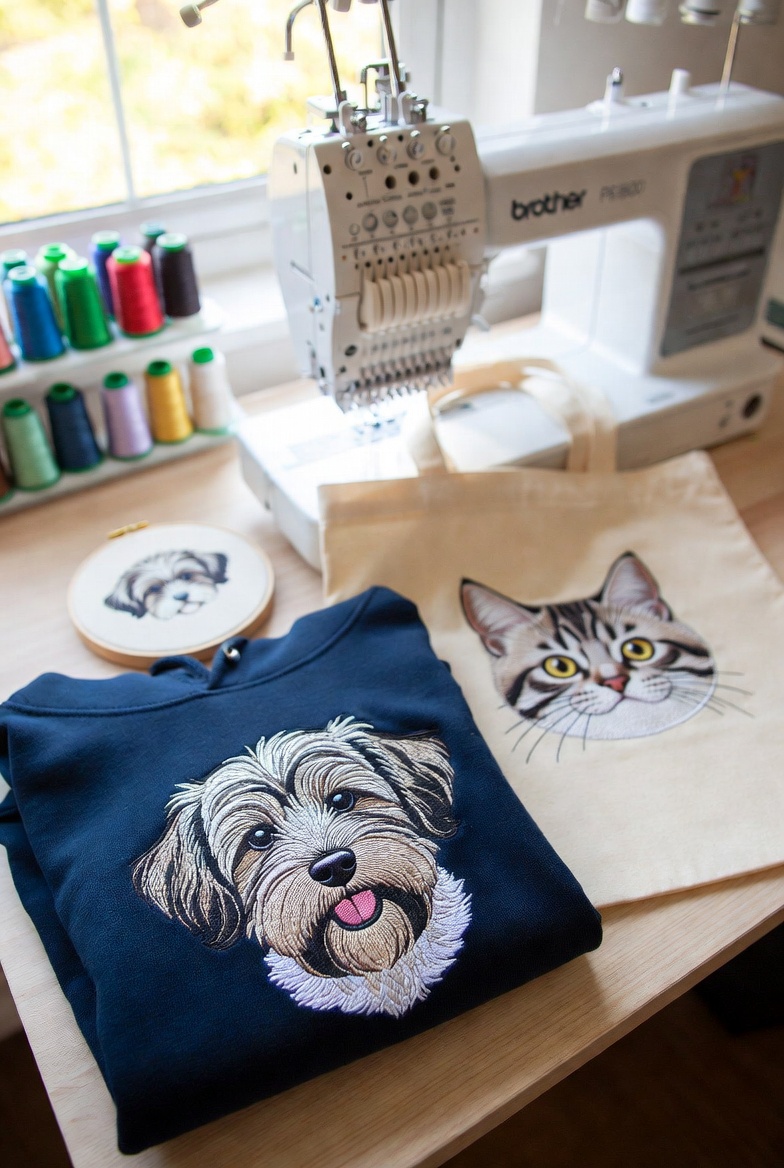
Emma's Pet Portraits
A Bristol-based home embroiderer turned her single Brother PE800 into a £3,000/month Etsy business by using StitchFast to instantly digitize custom pet portrait artwork — eliminating the digitizing bottleneck entirely.
Read case study →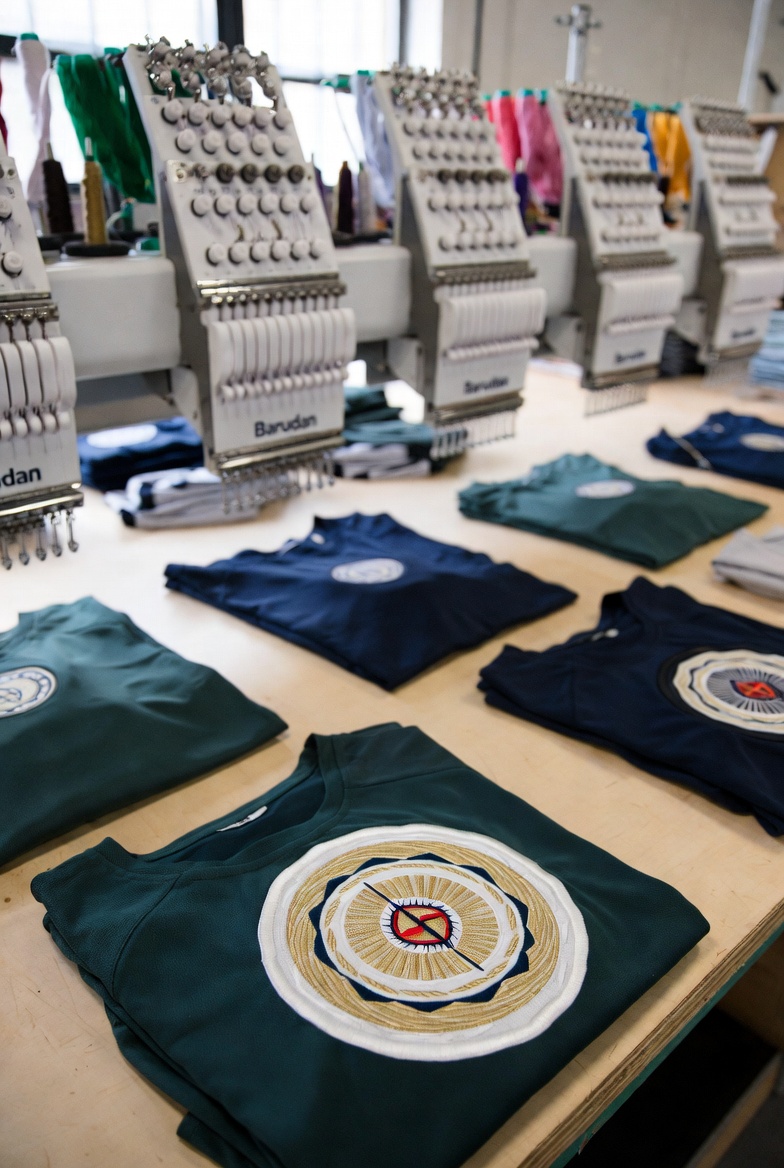
Apex Sportswear
A Manchester sports kit manufacturer scaled from 50 to 300 team clients per season after switching to StitchFast — eliminating the digitizing queue that previously capped their capacity.
Read case study →FAQ
Brother PE-Design alternative — common questions
Yes. StitchFast exports proper binary PES files for Brother and Babylock machines, with colour changes and stitch limits handled correctly — plus DST, JEF, EXP, VP3 and HUS for every other brand.
PE-Design is built around Brother and Babylock, so if you run another brand you may not get full value from it. StitchFast is machine-agnostic and outputs whatever format your machine reads, which is usually a better fit for mixed or non-Brother setups.
Yes. StitchFast runs entirely in the browser, so it works on Mac, Windows, Chromebook, iPad and phones. PE-Design is Windows desktop software only.
There's no upfront licence. PE-Design's full version is a one-off cost of several hundred dollars, with paid upgrades for major new versions. StitchFast is pay-as-you-go from £3.50 per design, or £29.99 a month unlimited, and you're always on the current version.
StitchFast creates new stitch files from your original artwork rather than editing existing .pes files. If you have the source images, upload those; your finished PE-Design files already work on your machine as they are.
StitchFast is optimised for logos, text and clean artwork rather than dedicated photo-to-embroidery conversion. PE-Design's PhotoStitch is purpose-built for turning photographs into stitch art, so if that's your main need, PE-Design has the edge. For everyday logo and lettering work, StitchFast is faster.
StitchFast generates lettering from your artwork with AI rather than a fixed font library. PE-Design ships a large built-in font and monogram library; if you need that catalogue, PE-Design is richer, but for stitching supplied text StitchFast handles it instantly.
Yes — PES is fully supported, so files load onto Brother and Babylock machines exactly like PE-Design output. StitchFast just isn't limited to Brother.
Keep reading
Related guides
Go deeper on formats, stitch quality and getting started.
More on Brother PE-Design
Everything else worth knowing about Brother PE-Design
Quick, honest answers to the most-searched Brother PE-Design questions — each with the practical alternative.
PE-Design for Mac
It's Windows-only. Boot Camp on Intel Macs, and the Apple Silicon catch.
Read →How much does PE-Design cost?
List prices, the dongle, and the cheaper versions and upgrades.
Read →Which PE-Design version?
Lite, Plus2 or the full 11. Only one can digitize from scratch.
Read →Is PE-Design worth it?
An honest verdict for Brother-machine owners.
Read →Free PE-Design alternative
PE-Design isn't free. The genuinely free and low-cost routes.
Read →What formats does PE-Design export?
Native PES, plus DST, JEF, HUS and more, explained.
Read →PES files. Any machine. No install.
Upload your design and download a PES, DST or JEF file in under a minute — whatever machine you run.
Open StitchFast