A Hatch alternative with nothing to install
Hatch puts Wilcom's engine in a friendlier interface — but it is a paid desktop suite that starts on a Windows PC. StitchFast gives you instant, browser-based digitizing on any device, with no upfront cost.
The quickest Hatch Embroidery alternative is StitchFast: an online digitizer that outputs DST, PES and JEF in seconds with no install and no upfront cost. Hatch is a capable one-off-purchase desktop suite built on Wilcom's engine; StitchFast removes the install, the ~US$1,090 price tag and the learning curve.
- No install — browser-based on Chromebook, iPad and phone too (Hatch is Windows, or Parallels on Mac)
- No upfront cost — from £3.50 per design vs Hatch Digitizer's ~US$1,090
- Nothing to learn — upload and download a finished file
What is Hatch?
Hatch Embroidery is Wilcom's consumer and small-business software, built on the same commercial engine as Wilcom's professional EmbroideryStudio and now in version 4. It comes in four levels — Organizer (resize, recolour, convert), Personalizer (adds lettering and monograms), Composer (adds one-click auto-digitizing) and Digitizer (adds full manual digitizing, appliqué and PhotoStitch). It is a genuinely capable, machine-agnostic tool with 130 professional fonts, a big design library and the well-regarded Hatch Academy training. It is a one-off purchase (the full Digitizer is around US$1,090, with an interest-free FlexPay instalment option), not a subscription. The catch for some people: it is Windows software — a Mac needs Parallels — there is an upfront cost, and even the friendly interface has a real learning curve.
The honest view
Hatch: pros and cons
A fair look at what Hatch does well and where it falls short — so you can judge whether an alternative is worth it.
What Hatch gets right
- Built on Wilcom's commercial engine, refined for home users
- One-off purchase — own it for life, no recurring fees
- Four tiers; upgrade by paying only the difference
- 130 professional fonts, PhotoStitch, appliqué and manual digitizing
- Hatch Academy training (500+ lessons) and a 30,000-member community
Where it frustrates people
- Windows software — a Mac needs Parallels, and no tablets or phones
- Full Digitizer is around US$1,090 upfront (or FlexPay instalments)
- Tiered — auto-digitizing needs Composer or above
- A real learning curve, even with the friendly interface
- Overkill and overpriced if you only need quick logos and text
Why people switch
Why embroiderers look for a Hatch alternative
Hatch is a capable, friendly suite. These are the gaps people try to close with an online option.
Hundreds of dollars to start
The full Digitizer is around US$1,090 (FlexPay spreads it monthly). That's a real commitment before your first design, especially for occasional use.
Mac needs Parallels
Hatch is Windows software; on a Mac it only runs through Parallels, and there's no tablet or phone version to pick up between jobs.
Friendly, but not instant
Hatch is easier than Wilcom and has great training, but you're still learning digitizing concepts before you get consistently clean results.
Before & After
From image to stitch file
Drag the slider — your image goes in, a production-ready embroidery file comes out in under 60 seconds.


Real StitchFast output — the same engine behind every file, whatever design you upload.
Head to head
StitchFast vs Hatch
For everyday logo and lettering work, here is the practical comparison.
| Feature | StitchFast | Hatch |
|---|---|---|
| AI auto-digitizing | Yes | Yes (Composer & up) |
| Works with any machine brand | Yes | Yes |
| Runs in a browser | Yes | No |
| Mac support | Native | Parallels only |
| Chromebook, iPad & phone | Yes | No |
| Install required | None | Windows / VM install |
| Upfront cost | None — from £3.50 | ~US$1,090 (Digitizer) |
| Price model | Pay per design | One-off (or FlexPay) |
| Learning curve | None | Gentle but real |
| Manual digitizing & fonts | AI, no manual editor | Extensive (130 fonts) |
StitchFast vs Hatch, feature by feature
Install vs browser
Hatch is Windows software; on a Mac it runs only through Parallels, and there is no tablet or phone version. StitchFast runs in any browser on Mac, Windows, Chromebook or iPad, with nothing installed.
Cost and tiers
Hatch is a one-off purchase (a genuine plus — no subscription), but the full Digitizer is around US$1,090, and auto-digitizing only appears from the Composer tier up. StitchFast has no upfront cost: £3.50 per design or £29.99 a month unlimited, with every capability included.
Machine compatibility
This one is a tie. Both are machine-agnostic: Hatch and StitchFast both export PES, DST, JEF, EXP, VP3 and HUS for Brother, Janome, Bernina, Babylock and more.
Features and control
Hatch is far deeper: manual digitizing, 130 professional fonts, monograms, PhotoStitch, appliqué, multi-hooping and CorelDRAW integration. StitchFast trades that depth for speed — upload, AI-digitize, download — with no manual editing.
Learning curve and support
Hatch is beginner-friendly for desktop software and backed by the strong Hatch Academy, but there is still a genuine ramp-up. StitchFast is built so there is nothing to learn — the AI makes the decisions for you.
Buyer's guide
What to look for in a Hatch alternative
Not every tool that calls itself a Hatch alternative actually improves on it. These are the things that matter.
Install vs browser
Desktop suites tie you to Windows, or Parallels on a Mac. Browser tools work on Chromebooks and tablets with nothing to install.
Upfront cost vs pay-as-you-go
Weigh a one-off licence (owned for life) against per-design pricing, based on how much you will actually digitize.
Tiers and features
Check which capabilities you truly need — auto-digitizing, manual digitizing, fonts — and whether they sit behind a higher tier.
Learning curve
Even friendly suites reward training. If you want a finished file now, automatic digitizing skips the ramp-up.
Machine and format coverage
Most good tools, Hatch and StitchFast included, are machine-agnostic and cover the common formats.
Speed to a finished file
For logos and text, seconds from upload to download beats minutes of editing and setup.
When Hatch is still the right choice
Hatch is a strong choice if you want a full, one-off-purchase desktop suite with manual digitizing, 130 professional fonts, PhotoStitch photo embroidery, appliqué and multi-hooping — all on Wilcom's commercial engine — plus the excellent Hatch Academy training and a large, active community. Once you own it there are no recurring fees. StitchFast is the better fit when you want a finished file in seconds without an upfront purchase, a Windows PC or Parallels, or time spent learning — and when you need to digitize from a Chromebook, iPad or phone, which Hatch does not support.
Pricing
What StitchFast costs
No licence, no install, no contract. Pay per design or go unlimited monthly — cancel any time.
One design credit
£3.99 per design
£3.50 per design
Unlimited digitizing
Making the switch
How to move from Hatch to StitchFast
No data to migrate, no software to uninstall. You can switch in the time it takes to digitize one design.
Gather your artwork. There is nothing to migrate from Hatch — StitchFast works from your original image, so collect the logos and designs you want to stitch.
Open StitchFast in your browser. No install, no Wilcom account, no Parallels. You can try your first design without even signing up.
Upload and let the AI digitize. Drop in a PNG, JPG or SVG; StitchFast analyses the design and generates the stitches automatically.
Proof
StitchFast in the real world
Hatch builds beautiful designs. So does StitchFast — here is what that looks like in practice.
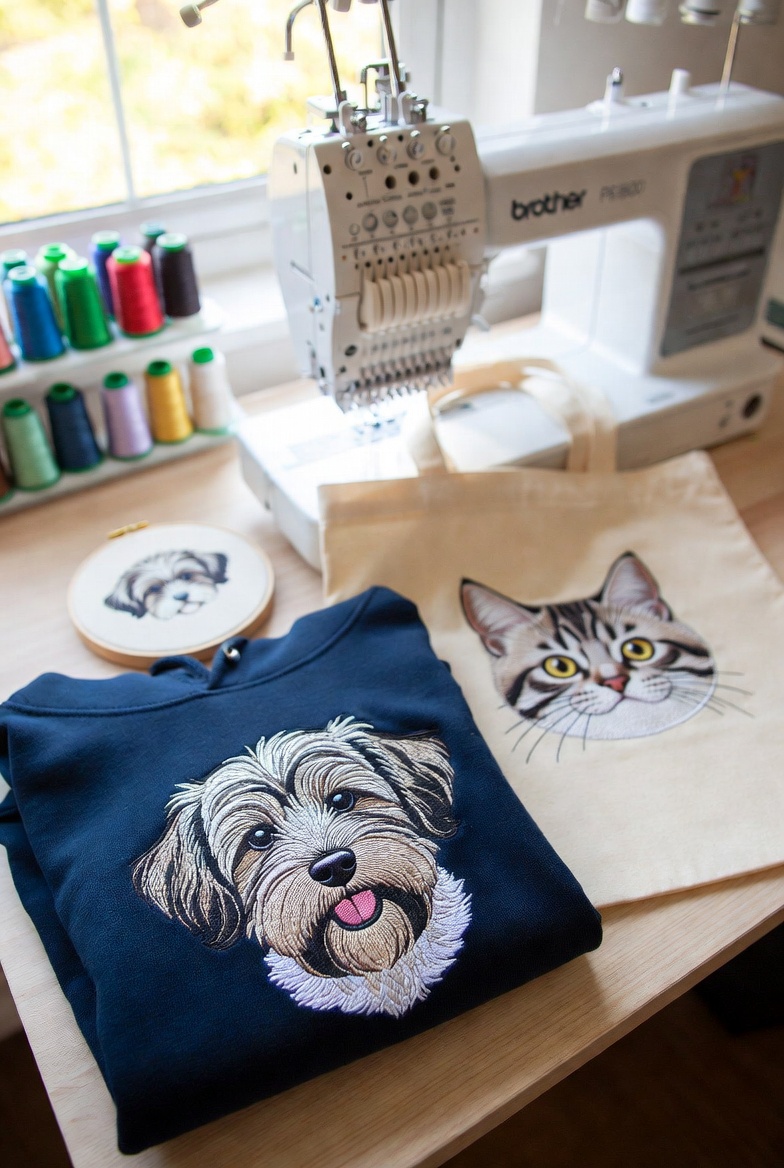
Emma's Pet Portraits
A Bristol-based home embroiderer turned her single Brother PE800 into a £3,000/month Etsy business by using StitchFast to instantly digitize custom pet portrait artwork — eliminating the digitizing bottleneck entirely.
Read case study →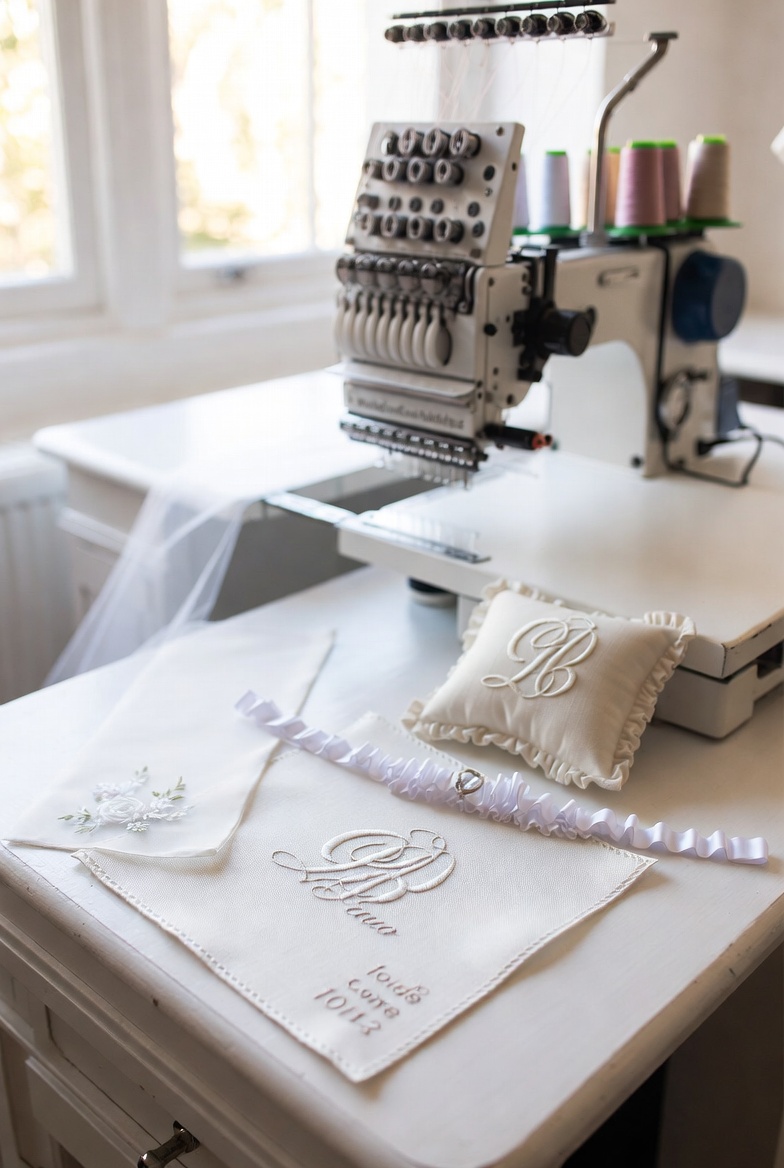
Grace Bridal Embroidery
A luxury bridal embroiderer in Bath uses StitchFast to offer same-day bespoke monograms, wedding date stitching, and personalised veil embellishments — a service that previously required a 2-week lead time.
Read case study →FAQ
Hatch alternative — common questions
Arguably better for pure beginners, because there's nothing to learn — you upload and download. Hatch is friendly and has excellent training, but it's still a full desktop suite with a real learning curve; StitchFast removes it entirely.
There's no upfront cost. Hatch's full Digitizer is around US$1,090 (or FlexPay instalments), owned once you've paid. StitchFast is pay-as-you-go from £3.50 per design, or £29.99 a month unlimited, with nothing to buy up front.
Yes, on all of them — it's browser-based. Hatch is Windows software and needs Parallels to run on a Mac, with no tablet or phone version, which is a common reason people look for a browser alternative.
StitchFast generates lettering from your artwork with AI rather than a fixed font library. Hatch ships 130 professional fonts plus monogram tools; if you need that catalogue, Hatch is richer, but for stitching supplied text StitchFast handles it instantly.
No — Hatch is a one-off purchase you own for life, which is a genuine plus. StitchFast is different again: pay-as-you-go per design, or an optional monthly unlimited plan you can cancel any time, with no upfront licence.
StitchFast creates new stitch files from your original artwork rather than editing existing embroidery files. Your finished Hatch files already work on your machine; upload the source images for anything new.
StitchFast is optimised for logos, text and clean artwork rather than photo embroidery. Hatch's PhotoStitch (in Digitizer) is purpose-built for turning photos into stitch art, so for that job Hatch has the edge.
Yes — it exports PES, DST, JEF, EXP, VP3 and HUS, so files load onto Brother, Janome, Bernina, Babylock and virtually all home and commercial machines, just like Hatch output.
Keep reading
Related guides
Go deeper on formats, stitch quality and getting started.
More on Hatch
Everything else worth knowing about Hatch
Quick, honest answers to the most-searched Hatch questions — each with the practical alternative.
Hatch for Mac
Hatch runs on a Mac, but only through Parallels. What that actually takes.
Read →How much does Hatch cost?
The four levels, FlexPay and what you really pay.
Read →Which Hatch level do you need?
Organizer, Personalizer, Composer or Digitizer, explained simply.
Read →Is Hatch worth it?
An honest verdict for hobbyists and small businesses.
Read →Free Hatch alternative
Hatch isn't free. The genuinely free and low-cost routes.
Read →What formats does Hatch export?
PES, DST, JEF and more, the full list explained.
Read →Same output. None of the install.
Get a ready-to-stitch file in under a minute from any device — no Windows, no tiers, no learning curve.
Open StitchFast