A SewArt alternative that runs online
SewArt is a low-cost desktop auto-digitizer best suited to simple clipart. StitchFast handles the same quick jobs in the browser, with AI analysis and automatic pull compensation baked in.
StitchFast is a SewArt alternative that runs online and does more of the work for you: AI colour and region detection plus automatic pull compensation, with no image pre-processing and nothing to install. SewArt is cheap but best on simple clipart and needs manual prep first.
- AI cleans and analyses the image — no manual colour-reduction step
- Pull compensation applied automatically, not tweaked by hand
- Runs in any browser including Mac; SewArt is Windows-only
What is SewArt?
SewArt is an inexpensive auto-digitizing program from S & S Computing, sold as a one-off licence (around $75) with free lifetime upgrades. It converts raster and vector images — JPG, PNG, SVG and more — into embroidery files, and exports the common machine formats (PES, DST, JEF, EXP, HUS, VP3 and XXX). It is primarily an auto-digitizer, though it does give you some manual control over stitch type, angle, density and pull compensation. The catch is the workflow: before most images sew cleanly, you run them through SewArt's image-processing tools to reduce the colour count and smooth the artwork by hand. It is Windows-only (a Mac needs an emulator such as CrossOver or Parallels), and it is at its best on simple clipart and solid-colour logos rather than detailed or photographic artwork.
The honest view
SewArt: pros and cons
A fair look at what SewArt does well and where it falls short — so you can judge whether an alternative is worth it.
What SewArt gets right
- One-off price of roughly $75 with free lifetime upgrades
- Runs fully offline once it's registered
- Manual control over stitch type, angle, density and pull compensation
- A gentle, affordable way to learn the basics of digitizing
- Exports all the common machine formats (PES, DST, JEF, EXP, VP3, HUS, XXX)
Where it frustrates people
- Windows-only — a Mac needs a paid emulator
- Images usually need manual colour-reduction and smoothing first
- At its best on simple clipart; struggles with photos and fine detail
- Dated interface with a real learning curve for clean output
- No bezier pen tool for drawing precise shapes
Why people switch
Why embroiderers look for a SewArt alternative
SewArt is cheap and cheerful. Here is where people want more.
Struggles beyond basic clipart
SewArt shines on simple, solid-colour art. Detailed or photographic images tend to need manual tidying to stitch cleanly.
You prep the image yourself
Getting good SewArt output often means reducing colours and cleaning the image by hand first — extra steps StitchFast handles automatically.
Windows install, dated feel
It is a downloaded Windows program with an older interface — no browser access and nothing on Mac or tablet.
Before & After
From image to stitch file
Drag the slider — your image goes in, a production-ready embroidery file comes out in under 60 seconds.

Real StitchFast output — the same engine behind every file, whatever design you upload.
Head to head
StitchFast vs SewArt
For quick logo and clipart jobs, here is how they compare.
| Feature | StitchFast | SewArt |
|---|---|---|
| AI colour & region detection | Yes | Manual image prep |
| Image prep done for you | Yes | You reduce colours first |
| Automatic pull compensation | Yes | Manual |
| Runs in a browser | Yes | No |
| Mac support | Native | Emulator only |
| Install required | None | Windows install |
| Price model | Pay per design | ~$75 one-time |
| Free trial | First design free | 30-day demo (3 colours) |
| Output formats (DST, PES, JEF…) | Yes | Yes |
| Best for | Logos, text, artwork, photos | Simple clipart & logos |
StitchFast vs SewArt, feature by feature
Image preparation
This is the biggest day-to-day difference. SewArt expects you to prepare the image first — reducing the colour count and smoothing edges with its built-in image-processing tools — before it can sew cleanly. StitchFast does that analysis automatically the moment you upload, so there is no manual prep step between your artwork and a finished file.
Auto-digitizing approach
SewArt is region- and colour-based and rewards clean, solid-colour clipart with well-defined borders; vector art works especially well. StitchFast analyses the whole design, identifies distinct regions, and assigns the appropriate stitch type to each, which makes it more forgiving with busier or less tidy artwork.
Platform and access
SewArt is a Windows desktop install, licensed for up to two computers, and a Mac requires an emulator such as CrossOver or Parallels. StitchFast runs entirely in the browser on Mac, Windows, Chromebook, iPad or phone — nothing to install, update or maintain.
Pull compensation and stitch quality
Both tools apply pull compensation to stop fabric pulling in and leaving gaps. In SewArt it is a value you adjust by hand; in StitchFast it is calculated automatically per region. If you want manual, stitch-level control you may prefer SewArt's approach; if you want a clean result without tuning, StitchFast handles it for you. Read the full technical guide.
Pricing model
SewArt's one-off licence (around $75, with free upgrades) is excellent value if you digitize regularly and don't mind the desktop workflow. StitchFast is pay-as-you-go from £3.50 per design, or £29.99 a month for unlimited digitizing, which suits occasional users, variable volumes, and anyone who would rather not install or maintain software.
Buyer's guide
What to look for in a SewArt alternative
Not every tool that calls itself a SewArt alternative actually improves on it. These are the things that matter.
Auto-digitizing quality
How clean is the very first output? A good alternative should need little manual cleanup on standard logos, text and clipart.
Image preparation
Does it colour-reduce and clean the image for you, or do you have to do that by hand before every single design?
Platform
Windows-only tools rule out Mac and tablet users. Browser-based tools work on anything with no install.
Automatic pull compensation
Pull compensation applied automatically prevents gaps in fills without you tuning values by hand for each region.
File format coverage
Check DST, PES, JEF, EXP, VP3 and HUS are all supported so any home or commercial machine can read the output.
Pricing that fits your volume
A one-off licence suits steady light use; pay-as-you-go suits occasional or variable digitizing without an upfront commitment.
When SewArt is still the right choice
SewArt is a fair choice if you want the cheapest possible desktop tool, work almost entirely with simple clipart, and don't mind prepping images by hand. Its one-off licence with free lifetime upgrades is genuinely good value for steady, light use, and it runs offline once registered. StitchFast is the better option when you want cleaner results on the first pass — AI colour and region detection, automatic pull compensation and no image pre-processing — from any device, including a Mac, with nothing to install.
Pricing
What StitchFast costs
No licence, no install, no contract. Pay per design or go unlimited monthly — cancel any time.
One design credit
£3.99 per design
£3.50 per design
Unlimited digitizing
Making the switch
How to move from SewArt to StitchFast
No data to migrate, no software to uninstall. You can switch in the time it takes to digitize one design.
Keep your artwork, not your files. There is nothing to migrate from SewArt — StitchFast works from your original image, so just gather the PNG, JPG or SVG logos and designs you want to digitize.
Upload to StitchFast. Drop the image straight in. There is no colour-reduction or smoothing step to do first — the AI analyses the design and identifies regions, colours and stitch types for you.
Review and download. Check the on-screen preview, then download the same formats you used in SewArt — DST, PES, JEF, EXP, VP3 or HUS.
Stitch as normal. Load the file into your machine exactly as you did with SewArt output. Nothing to uninstall, no emulator to keep running.
Proof
StitchFast in the real world
SewArt builds beautiful designs. So does StitchFast — here is what that looks like in practice.
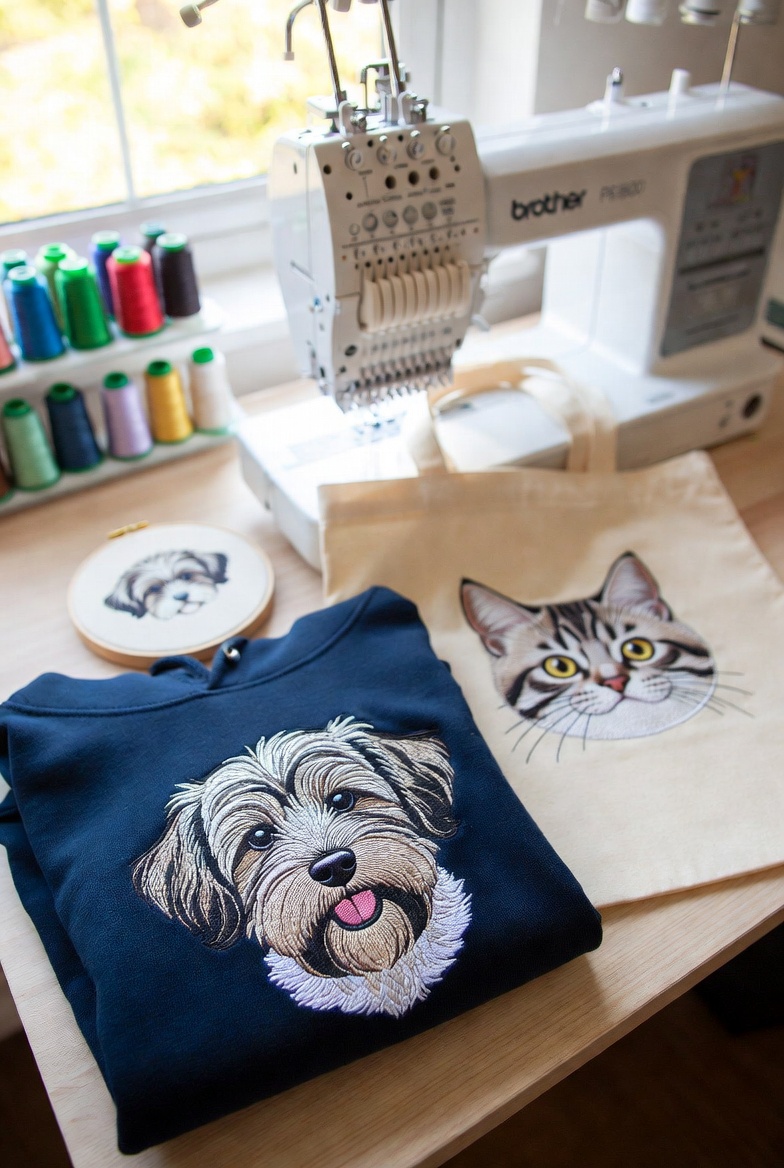
Emma's Pet Portraits
A Bristol-based home embroiderer turned her single Brother PE800 into a £3,000/month Etsy business by using StitchFast to instantly digitize custom pet portrait artwork — eliminating the digitizing bottleneck entirely.
Read case study →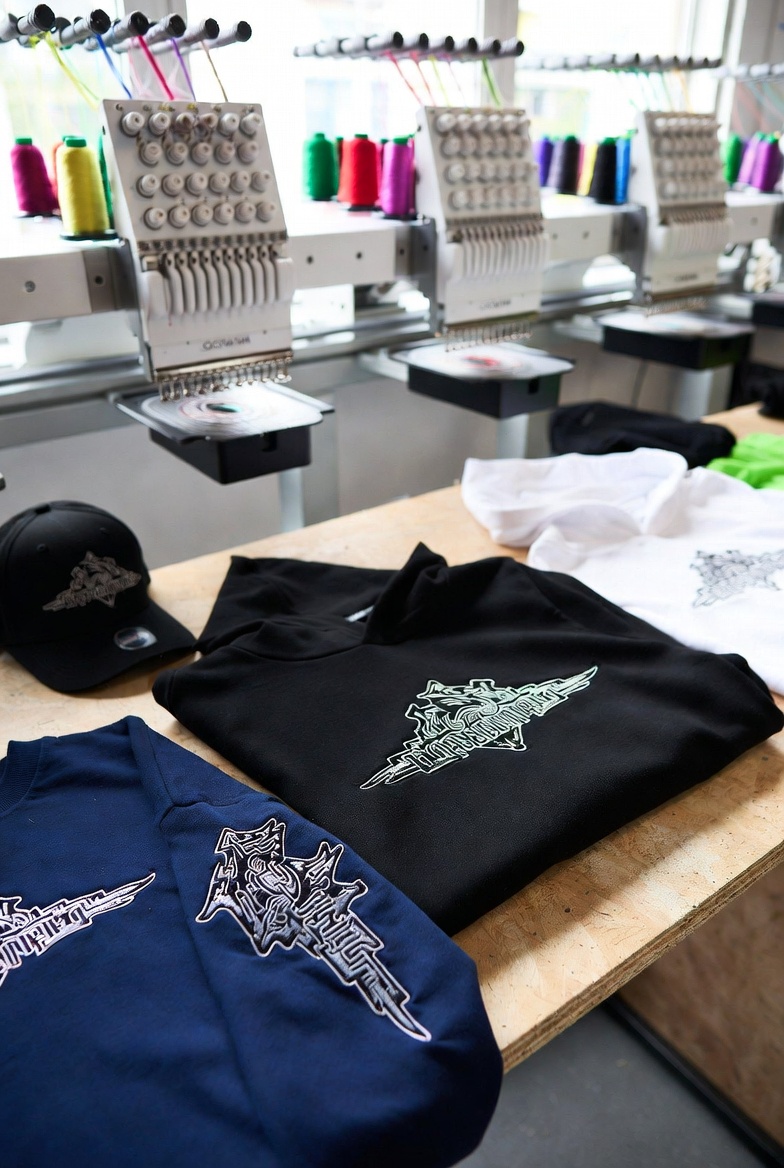
Urban Stitch
A London streetwear brand uses StitchFast's Unlimited plan to launch fresh embroidered designs every single week — a rapid-drop cadence that would have cost over £1,300 annually in manual digitizing fees.
Read case study →FAQ
SewArt alternative — common questions
For most logos, yes — StitchFast's AI handles region detection, thread colours and pull compensation automatically, where SewArt often needs you to reduce colours and clean the image first. Both are quick; StitchFast does more of the work for you.
You can try StitchFast's first design free without an account, then it is pay-as-you-go from £3.50 rather than a fixed licence. For a completely free tool, Ink/Stitch is open-source, though it has a far steeper learning curve than either StitchFast or SewArt.
Yes. StitchFast runs in the browser, so it works natively on Mac, Windows, Chromebook, iPad and phones. SewArt is Windows software and needs an emulator such as CrossOver or Parallels to run on a Mac.
StitchFast creates new stitch files from your original artwork rather than editing existing embroidery files. If you still have the source images, upload those. Your finished SewArt files (DST, PES, JEF and so on) already work on your machine as they are.
If your usage is very light and steady, SewArt's one-time licence can work out cheaper over time. StitchFast is pay-as-you-go from £3.50 per design with no install, which suits people who digitize occasionally, work across devices, or want no setup.
No. Upload a PNG, JPG or SVG as-is and the AI analyses it. Clean logos with solid colours give the best results, but you don't need to manually reduce colours the way SewArt usually requires.
For detailed or photographic images, StitchFast's AI analysis generally needs less manual cleanup than SewArt, which is tuned for simple clipart and solid-colour logos. That said, all auto-digitizing works best on clean artwork — very busy photos may still need simplifying whichever tool you use.
Keep reading
Related guides
Go deeper on formats, stitch quality and getting started.
More on SewArt
Everything else worth knowing about SewArt
Quick, honest answers to the most-searched SewArt questions — each with the practical alternative.
SewArt for Mac
SewArt is PC-only. What it takes to run it on a Mac, and the easy fix.
Read →How much does SewArt cost?
$75 one-time, plus the extras nobody mentions upfront.
Read →SewArt vs SewWhat-Pro
Two S&S programs, two different jobs. Which one you actually need.
Read →Is SewArt worth it?
An honest verdict on $75 auto-digitizing.
Read →Free SewArt alternative
SewArt isn't free. The genuinely free and low-cost routes.
Read →What formats does SewArt export?
PES, DST, JEF and more, the full list explained.
Read →Cleaner output, none of the prep.
Upload your artwork as-is and let the AI do the colour work — a finished file in under a minute.
Open StitchFast