An Ink/Stitch alternative without the learning curve
Ink/Stitch is free and powerful — if you can master Inkscape, paths and nodes. StitchFast gives you a finished stitch file in seconds, no vector-editing skills required.
The easiest Ink/Stitch alternative is StitchFast — it skips Inkscape entirely and turns your image into a stitch file in under a minute, with no paths, nodes or vector-editing skills required. Ink/Stitch is free but built on a steep manual learning curve; StitchFast trades a few pounds per design for instant results.
- No Inkscape, no manual pathing, no learning curve
- AI auto-digitizing instead of hand-drawn stitch paths
- A clean file in under 60 seconds from any browser
What is Ink/Stitch?
Ink/Stitch is a free, open-source machine-embroidery platform built as an extension for Inkscape, the vector graphics editor. It is genuinely capable — a full stitch library (satin, tatami fill, running, bean, tartan), configurable underlay, a lettering system with pre-digitized fonts, real-time stitch simulation, thread palettes from 60-plus manufacturers and export to most machine formats — and it runs on Windows, Mac and Linux. Best of all, it is completely free under the GPL, with an active community behind it. The trade-off is the workflow: it is Inkscape. You build or trace your design as vector paths and parametrize each object into stitches, so you are learning vector editing (paths, nodes, objects) as much as embroidery. For beginners, that is a steep and time-consuming curve.
The honest view
Ink/Stitch: pros and cons
A fair look at what Ink/Stitch does well and where it falls short — so you can judge whether an alternative is worth it.
What Ink/Stitch gets right
- Completely free and open-source under the GPL
- Cross-platform — Windows, Mac and Linux
- Full stitch library: satin, tatami fill, running, bean, tartan and more
- Lettering with pre-digitized fonts, real-time simulation and PDF output
- Active community, detailed manual and thread palettes from 60+ makers
Where it frustrates people
- You're learning Inkscape (paths, nodes, vectors) as well as embroidery
- Manual, vector-based workflow — not one-click image digitizing
- Requires installing Inkscape plus the extension
- No browser, Chromebook, tablet or phone version
- No formal support — you rely on the community and tutorials
Why people switch
Why embroiderers look for a Ink/Stitch alternative
Free is compelling. The cost shows up as time.
You must learn Inkscape too
Ink/Stitch lives inside Inkscape, so you learn vector editing — paths, nodes, objects — before you get clean embroidery. That is a real time investment.
Little to no auto-digitizing
Ink/Stitch is built around manual pathing and custom stitch control. Powerful, but slow, and not the one-click experience many people expect.
Install, extensions, updates
You install Inkscape, add the extension and keep it working. It is free in money, not in effort.
Before & After
From image to stitch file
Drag the slider — your image goes in, a production-ready embroidery file comes out in under 60 seconds.
Real StitchFast output — the same engine behind every file, whatever design you upload.
Head to head
StitchFast vs Ink/Stitch
If your time is worth something, here is the honest comparison.
| Feature | StitchFast | Ink/Stitch |
|---|---|---|
| Price | From £3.50 / design | Free (open-source) |
| Digitizing style | AI, automatic | Manual, vector-based |
| Inkscape / vector skills needed | No | Yes |
| Runs in a browser | Yes | No (Inkscape desktop) |
| Chromebook, iPad & phone | Yes | No |
| Windows / Mac / Linux | Any browser | Yes (desktop) |
| Install required | None | Inkscape + extension |
| Time to first clean file | Under 60 seconds | Hours of learning |
| Learning curve | None | Steep |
| Manual stitch control | No | Full |
StitchFast vs Ink/Stitch, feature by feature
Free, but the cost is time
Ink/Stitch is free forever, which is its biggest draw. The cost shows up as hours: you learn Inkscape's vector tools and embroidery concepts before you get clean output. StitchFast trades a few pounds per design for a result with no learning at all.
Manual vs automatic
In Ink/Stitch you draw or trace vector paths and parametrize each object into stitches (fills become tatami, strokes become satin or running). It is powerful and precise, but hands-on. StitchFast's AI does the analysis and stitch decisions for you from a plain image.
Install and platform
Ink/Stitch needs Inkscape plus the extension installed on a Windows, Mac or Linux desktop. It is more cross-platform than most paid tools, but there is no browser, Chromebook, tablet or phone version. StitchFast runs in any browser on any device.
Stitch control and features
Here Ink/Stitch is strong: a full stitch library, satin columns, configurable underlay, lettering, simulation and thread management. StitchFast is automatic and does not expose that manual control, so for hand-tuned or artistic work Ink/Stitch has the edge. Read our underlay and density guide.
Support and learning
Ink/Stitch leans on its manual, tutorials and community; there is no formal support line. StitchFast needs no learning or support because there is nothing to configure — you upload and download.
Buyer's guide
What to look for in a Ink/Stitch alternative
Not every tool that calls itself a Ink/Stitch alternative actually improves on it. These are the things that matter.
Free vs your time
Free software costs nothing in money but plenty in hours. Decide whether the licence fee or your time is the scarcer resource.
Manual vs automatic
Vector, path-based digitizing gives full control but takes real skill; automatic AI gets you a file without the learning curve.
Install and platform
Extension-based desktop tools need setup; browser tools work anywhere, including Chromebooks and tablets.
Learning curve
Be honest about how much time you'll invest. Inkscape-based tools reward it; if you just need files now, automatic wins.
Manual stitch control
If you want to place every stitch and tune underlay, you need a manual tool; if you want a clean result fast, you don't.
Format coverage
Both Ink/Stitch and StitchFast export the common machine formats, so most machines are covered either way.
When Ink/Stitch is still the right choice
Ink/Stitch is the right choice if budget is the deciding factor, you enjoy learning the craft hands-on, and you want deep manual control — full stitch types, satin columns, configurable underlay — without paying anything. It is free, open-source, cross-platform and genuinely powerful, with an active community behind it. StitchFast is the better choice when your time matters more than the licence fee: you skip Inkscape entirely and get a clean, ready-to-stitch file in under a minute, from any browser, with no vector skills required.
Pricing
What StitchFast costs
No licence, no install, no contract. Pay per design or go unlimited monthly — cancel any time.
One design credit
£3.99 per design
£3.50 per design
Unlimited digitizing
Making the switch
How to move from Ink/Stitch to StitchFast
No data to migrate, no software to uninstall. You can switch in the time it takes to digitize one design.
Gather your artwork. There is nothing to migrate from Ink/Stitch — StitchFast works from your original image, so collect the logos and designs you want to stitch.
Open StitchFast in your browser. No Inkscape, no extension, no install. You can try your first design without even creating an account.
Upload — no tracing needed. Drop in a PNG, JPG or SVG. There is no vectorizing or path work; the AI analyses the design and generates the stitches.
Proof
StitchFast in the real world
Ink/Stitch builds beautiful designs. So does StitchFast — here is what that looks like in practice.
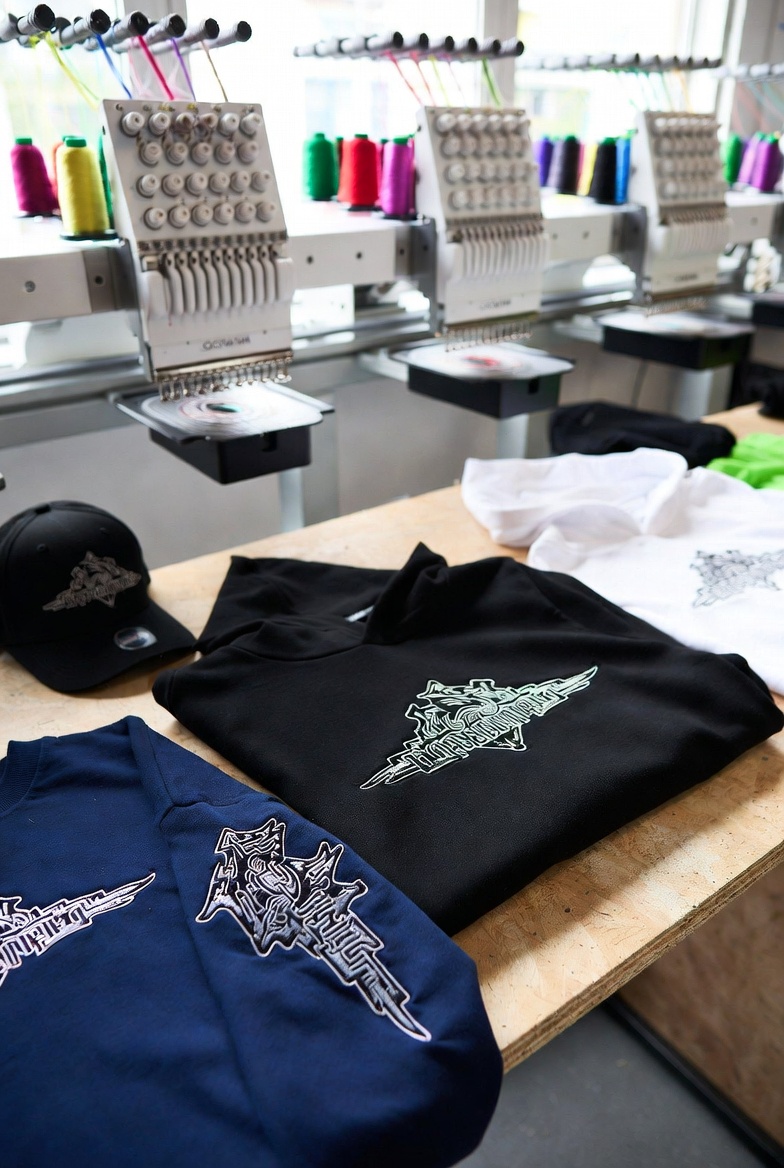
Urban Stitch
A London streetwear brand uses StitchFast's Unlimited plan to launch fresh embroidered designs every single week — a rapid-drop cadence that would have cost over £1,300 annually in manual digitizing fees.
Read case study →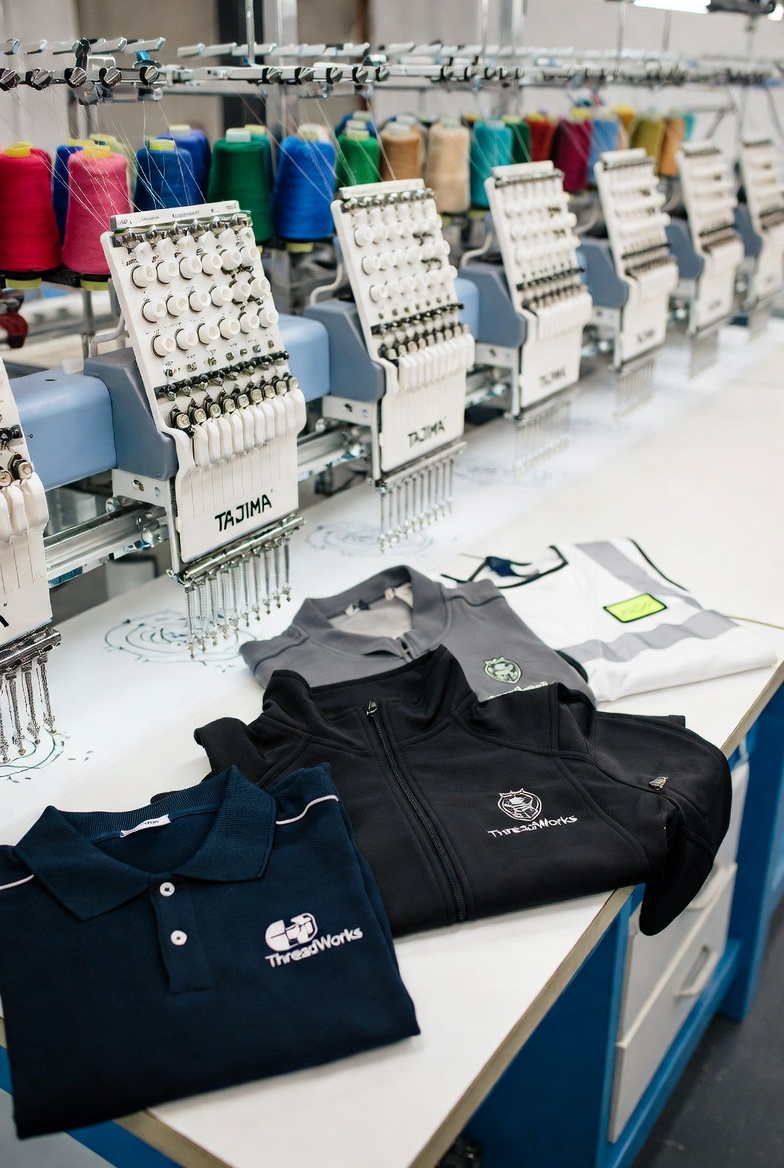
ThreadWorks Uniforms
A Birmingham-based uniform supplier processing 800+ corporate logos per year slashed digitizing costs from £25 per design to £3.50 using StitchFast — and cut turnaround from 48 hours to under 60 seconds.
Read case study →FAQ
Ink/Stitch alternative — common questions
You're paying to skip the learning curve and the manual work. Ink/Stitch is free in money but costs hours of learning Inkscape and building vector paths. StitchFast trades a few pounds per design for an instant, no-skills-needed result. Which is cheaper depends on how you value your time.
Considerably. There's no vector editing, no paths or nodes, and no software to install. You upload an image and the AI produces the stitch file. Ink/Stitch is powerful but has one of the steepest learning curves of any digitizing option because you're learning Inkscape too.
StitchFast runs in any browser, so Mac, Windows, Chromebook, iPad and phone all work — there's nothing to install. Ink/Stitch is genuinely cross-platform on the desktop (Windows, Mac and Linux) but has no browser or tablet version.
No — StitchFast is automatic by design. If you specifically want manual, path-based control, satin columns and configurable underlay, Ink/Stitch (or a desktop suite) is the better fit. StitchFast is built for speed and simplicity.
No. StitchFast is entirely self-contained in the browser — no Inkscape, no extension, no install. Upload, digitize, download.
For getting a clean logo stitched quickly, usually yes — the AI handles it in seconds. Ink/Stitch can produce excellent logo results too, but you'll trace and parametrize the design by hand, which takes time and skill.
StitchFast creates new stitch files from your artwork rather than editing Ink/Stitch SVGs. If you have the original image or a clean SVG, upload it; your finished embroidery files already work on your machine.
Keep reading
Related guides
Go deeper on formats, stitch quality and getting started.
More on Ink/Stitch
Everything else worth knowing about Ink/Stitch
Quick, honest answers to the most-searched Ink/Stitch questions — each with the practical alternative.
Ink/Stitch for Mac
It runs natively on Mac, unlike the paid tools. Here's the real setup.
Read →How to install Ink/Stitch
Inkscape first, then the extension. Steps for Windows, Mac and Linux.
Read →Is Ink/Stitch good for beginners?
Free and powerful, but a steep learning curve. An honest take.
Read →Does Ink/Stitch auto-digitize?
What it automates, what it doesn't, and where one-click wins.
Read →Ink/Stitch file formats
DST, PES, JEF and more. Some of the widest support around.
Read →Ink/Stitch vs paid software
Free rivals paid on features. The trade-off is your time.
Read →Free isn't free if it costs you a weekend.
Skip Inkscape entirely — upload your design and download a clean stitch file in under a minute.
Open StitchFast